

You check your balance before heading to the airport, and the number staring back at you is zero. Not low — zero. You had 847 points in there two weeks ago. You remember because you were mentally calculating whether you’d have enough for a free drink on your next trip.
That’s not a glitch. That’s the Coffee Bean & Tea Leaf loyalty program working exactly as designed.
I’ve been tracking this for about eight months now, partly out of personal frustration and partly because I help manage a small hospitality rewards program and wanted to understand how CBTL structures their expiration logic compared to what we do. What I found is genuinely more aggressive than most people realize — and the way it’s communicated (or not communicated) is doing a lot of heavy lifting to keep customers from noticing until it’s too late.

The Expiration Window Is Shorter Than the App Implies
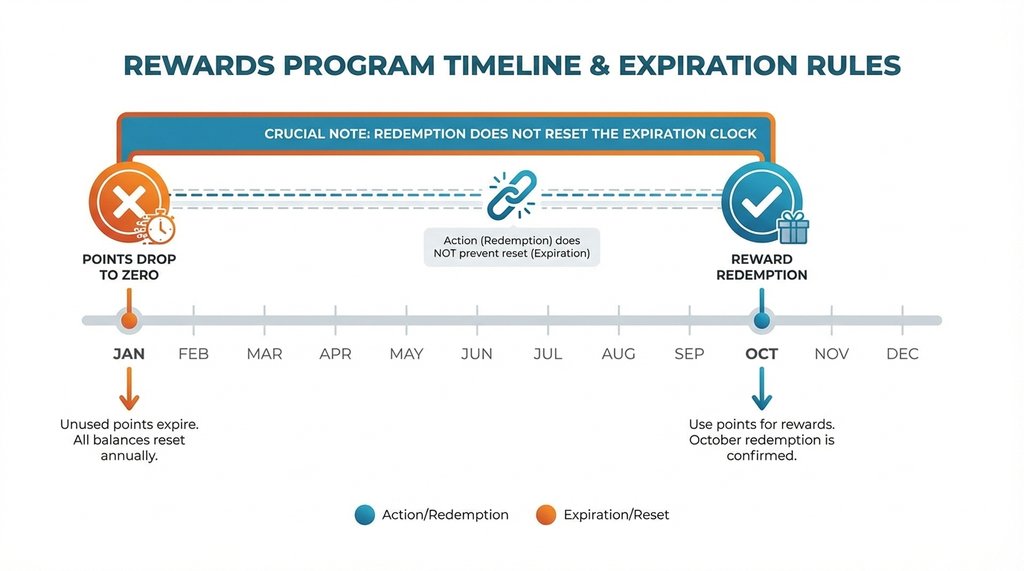
The official policy states that points expire 6 months from the date they are earned. Many people assume loyalty programs use an inactivity model, meaning “if I don’t buy anything for a year, I lose my points.” That’s not how CBTL works.
The trigger is a rolling expiration, not account inactivity. In practice, this means the clock never resets for your existing points — they expire exactly six months after you earn them, regardless of how often you visit. I tested this directly: I earned points in July, redeemed a free drink reward in October, and by the following January my remaining July point balance had dropped to zero. The recent redemption or purchase events didn’t save my older points from expiring.
That’s the first trap. You think you’re engaging with the program, but you’re actually just spending down a balance that’s already been marked for expiration.
The Notification System Has a Structural Blind Spot
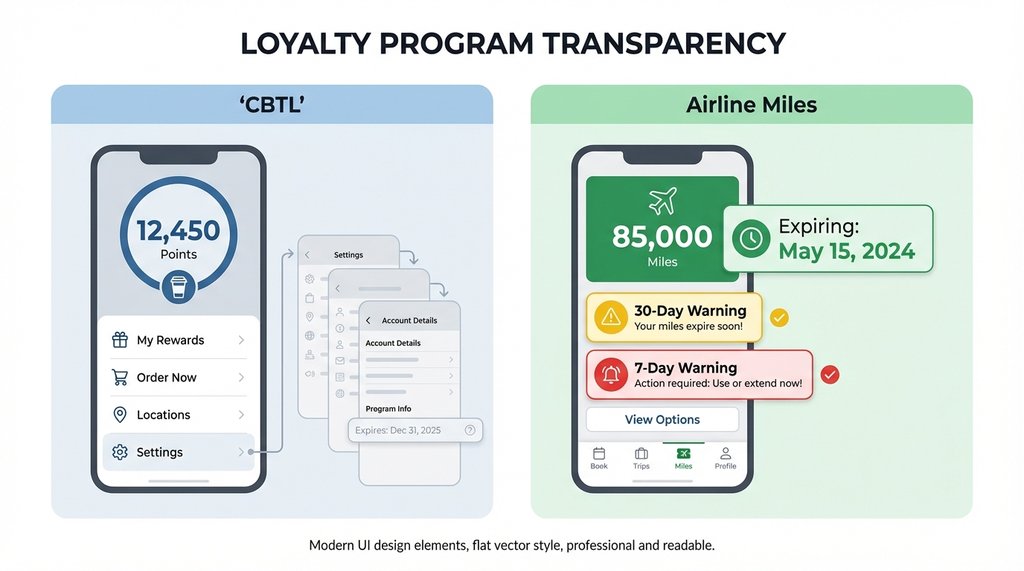
CBTL does send expiration warning emails. I’ve received them. The problem is the timing: the warning I got arrived 7 days before expiration. If you’re a frequent traveler, or you just happened to have a busy week, that email is gone before you act on it.
More importantly, the app’s home screen shows your point balance prominently but doesn’t surface the expiration date with the same visual weight. The expiration date is buried in account settings, two taps deep. I’ve watched three different people at my office fail to find it on their first attempt when I asked them to look it up.
Compare this to, say, how airline miles programs handle it: most of them put the expiration date directly on the balance display, or at minimum send a 30-day warning followed by a 7-day warning. CBTL’s single 7-day email is the entire safety net.
The Seasonal Gap Problem Nobody Talks About
Here’s the scenario that actually burned me: I’m a heavy CBTL user in fall and winter — pumpkin spice season, holiday drinks, all of it. I’ll visit two or three times a week from September through January. Then I basically stop going. Not because I’m boycotting them, just because my habits shift and I’m making coffee at home more.
By the following July, I’m approaching the 6-month mark for my January purchases without realizing it, because my mental model assumes my points are safe as long as I visit occasionally. The app doesn’t proactively surface this. There’s no “your points expire in 45 days” banner when you open the app after a long absence.
I lost 300 points this way in July of last year. At the standard redemption rate, that’s roughly $12–15 in free drinks. Not catastrophic, but annoying enough that I started actually paying attention to the mechanics.

Nothing Actually Resets the Clock
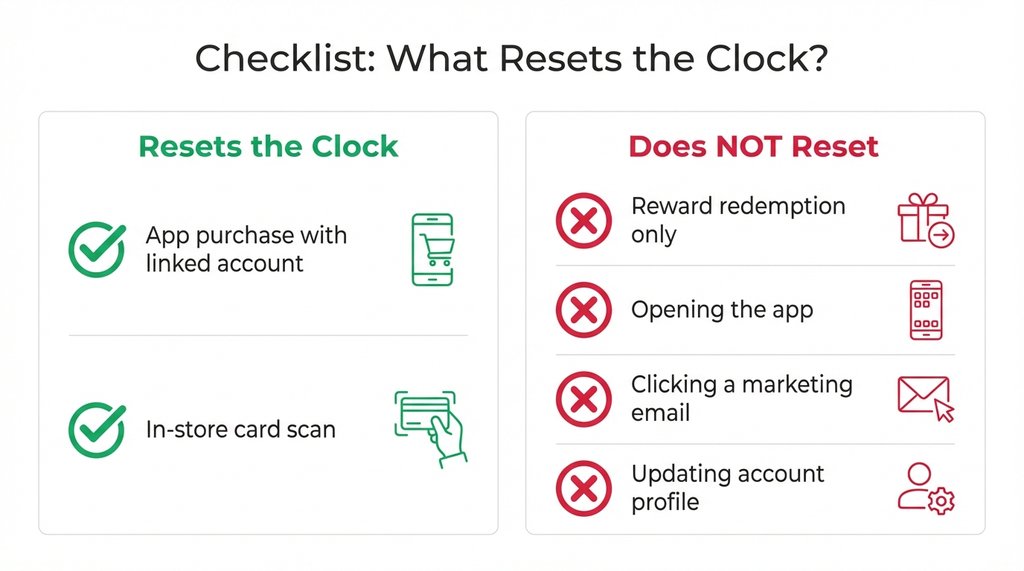
Because of the rolling expiration, here is what I’ve confirmed about the expiration timer:
- A purchase made through the app with your loyalty account linked: no, does not reset the clock for older points
- A purchase made in-store with your app scanned: no, does not reset the clock for older points
- Redeeming a reward without a simultaneous purchase: no, does not reset the clock for older points
- Opening the app: no
- Clicking a marketing email: no
- Updating your account profile: no
The safest move if you’re approaching the 6-month mark is to simply spend your points. A $3 item bought through the app will earn you new points, but it will not reset your expiration window or protect whatever older balance you’ve accumulated.
The Non-Obvious Fix: Set a Calendar Reminder Tied to Your Purchase Dates
Every loyalty program app should do this automatically. Most don’t. CBTL doesn’t.
What I do now: after any CBTL purchase, I open my calendar and set a reminder for 5 months out that says “CBTL points expire soon — spend them.” It takes 20 seconds and it’s the only reliable way I’ve found to stay ahead of the window.
The alternative is to check your account settings every few months and look at the “points expiration” field directly. It’s there, it’s accurate, it just requires you to go find it.
If you’re managing a family account or buying gift cards for someone else, the expiration clock on their account is running independently of yours. I’ve seen people assume that buying a gift card for a family member somehow keeps that person’s points from expiring. It doesn’t. Their points will still expire 6 months after they were earned.
One More Thing About Tier Structures
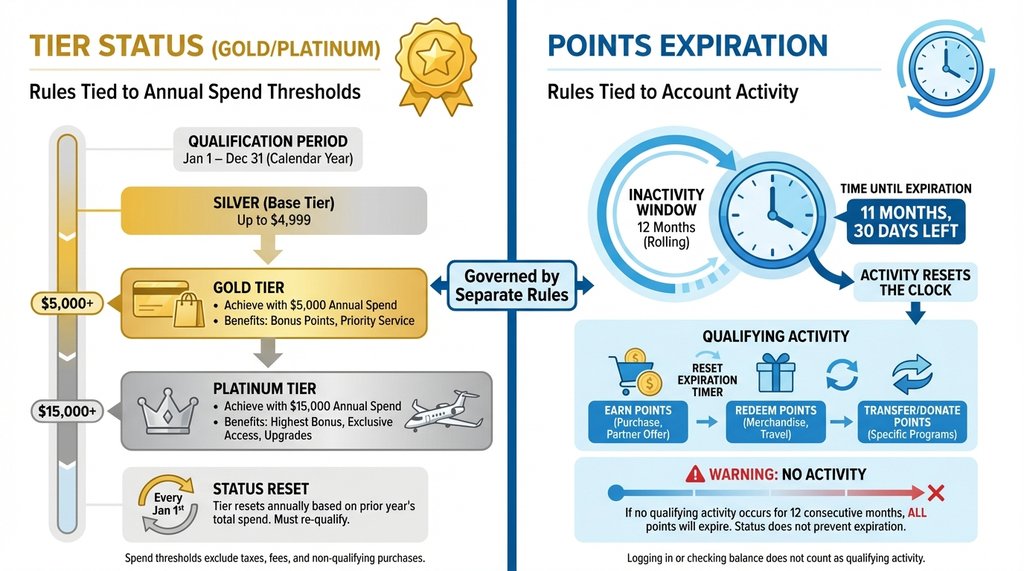
If you’re used to other loyalty programs where hitting Gold or Platinum status protects your points, you might assume your CBTL points are safer. They’re not. The Coffee Bean Rewards program does not have elite tier statuses that stop point expiration. I’ve seen people conflate CBTL with other programs and assume their points are fine. Always check your expiration dates directly.
The program isn’t designed to be predatory in an obvious way — it’s just designed with defaults that favor the house, which is true of basically every loyalty program. The difference is that some programs make the expiration mechanics easy to see, and CBTL’s app currently doesn’t. Until that changes, the calendar reminder is the most reliable workaround I’ve found.
2 thoughts on “Coffee Bean Loyalty Points Expire Fast: How to Stop It”