
You ran the full descaling cycle, waited for it to finish, and the self-clean light is still glowing at you like it has no intention of going anywhere. You’ve already tried turning the machine off and back on. Maybe you even ran a second rinse cycle hoping it would reset itself. It didn’t. Now you’re standing in your kitchen wondering if you broke something or if the machine is just messing with you.
It’s almost never a broken machine. Nine times out of ten, the light stays on because the machine’s internal sensor still detects calcium buildup, or the cleaning cycle wasn’t properly initiated according to the manual’s specific sequence.
Why the Light Stays On (The Sensor-Based Trigger)
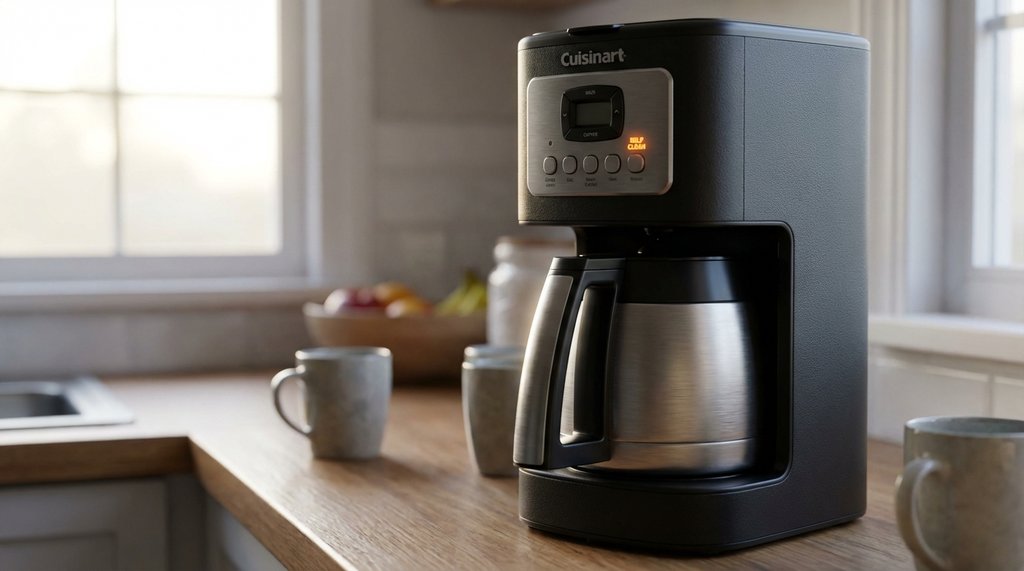
The self-clean indicator on Cuisinart machines isn’t just a simple timer. It is tied to an internal temperature sensor. When calcium scale builds up inside the water tubes, the heating element gets hotter than normal to brew the coffee. The machine detects this temperature spike and turns on the Clean light. It won’t automatically clear until a descaling cycle successfully removes enough scale to return the heating element to its normal operating temperature.
I first ran into this on a DCC-3200P1 that a family member had. She’d run a descaling cycle — white vinegar diluted at the right ratio, full brew, full rinse — and the light stayed on solid. She assumed the machine had a fault. By the time I looked at it, she’d already run three additional water rinse cycles through it, which did nothing because water alone won’t remove heavy scale.
The fix required running a proper, uninterrupted cleaning cycle with the correct button sequence.
The Proper Cleaning Sequence Most Owners Miss
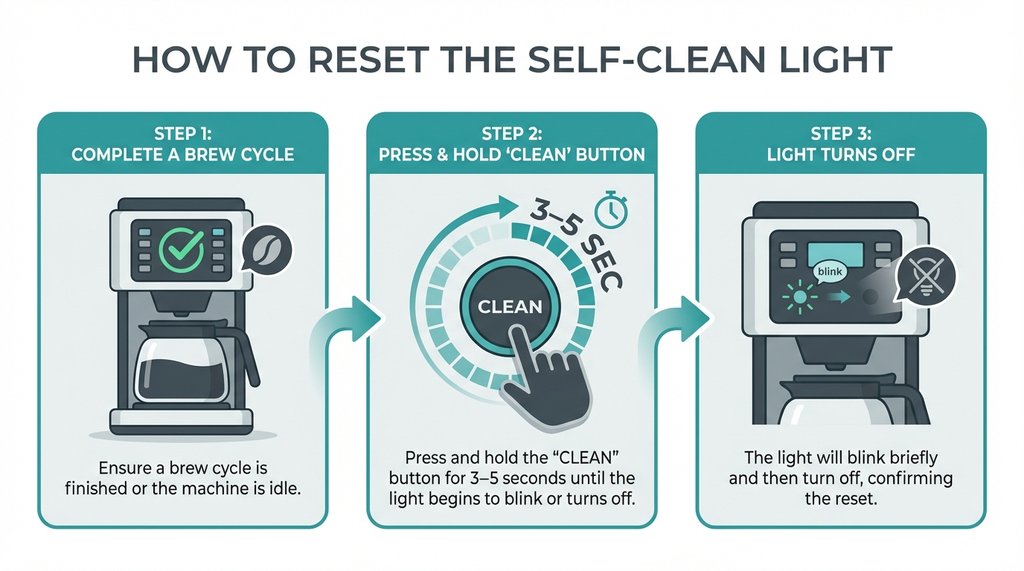
To properly run the descaling cycle and clear the light:
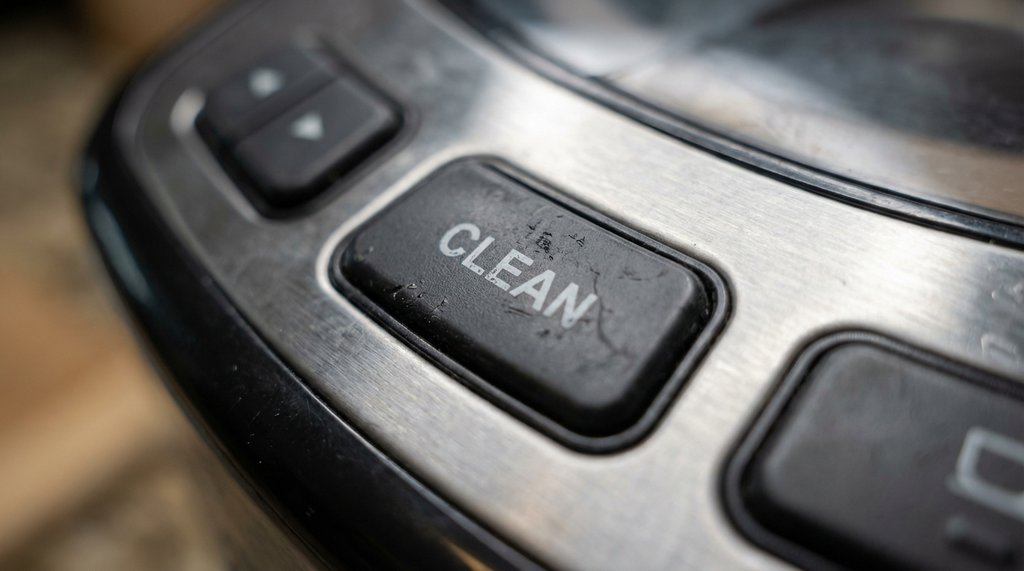
Press the Clean button once, then press the Brew/Off button.
That’s it. Many owners simply press the Clean button and assume the cycle has started, or they just run a normal brew cycle with vinegar. On most current Cuisinart drip machines (DCC-3200, DCC-3400, SS-15, and the Perfectemp line), you must press the Clean button so it illuminates, and then press the Brew/Off button to actually initiate the special cleaning mode.
In this mode, the machine will brew a small amount of the vinegar solution, pause for about 30 minutes to let the acid break down the scale, and then finish the brew. If you just run a standard brew cycle with vinegar, the solution doesn’t sit in the tubes long enough to dissolve the buildup, and the sensor will keep the light on.
Once this specialized cycle completes and the machine beeps, the light should go off, and the machine returns to normal standby behavior.
What I Tried First (That Didn’t Work)
Before I figured out the proper sequence, I went through the obvious stuff that any reasonable person would try:
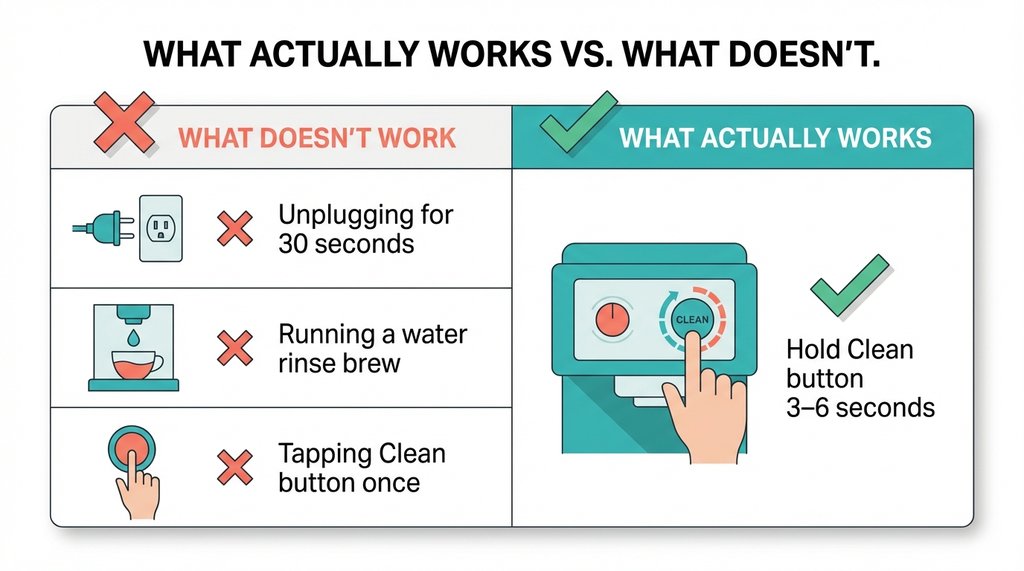
Unplugging the machine for 30 seconds. This does reset some Cuisinart electronics — I’ve used it to clear brewing errors before — but it does not clear the self-clean indicator. Because the light is triggered by a physical temperature sensor detecting scale, a power cycle won’t trick it. As soon as you brew again, the sensor detects the heat spike from the remaining scale and the light comes right back on. Unplugging resets your clock, not your clean status.
Running another rinse brew with just water. Running additional water-only brew cycles after the clean light is stuck does nothing to turn off the indicator. The machine isn’t sensing water chemistry or residual vinegar; it is sensing the temperature of the heating element. Water alone will not dissolve the calcium deposits causing the sensor to trip.
Pressing the Clean button without pressing Brew/Off. On many models, pressing the Clean button just arms the cleaning mode but doesn’t start it. If you don’t follow up by pressing the Brew/Off button, the machine just sits there, and the cleaning cycle never actually happens.
When the Light Still Won’t Turn Off
If you’ve run the proper cleaning cycle with the pause, and the light is still on, there are a few scenarios worth checking before assuming the worst.
The cycle didn’t fully complete. Some Cuisinart machines will abort a cleaning cycle if there’s a brief power interruption or if it’s manually turned off mid-cycle. You can verify this by starting a fresh cleaning cycle from scratch — make sure the carafe is in place, reservoir is filled with a fresh vinegar and water mixture, and let it run uninterrupted all the way through.
The scale buildup is exceptionally heavy. If you have very hard water or haven’t descaled in a long time, a single pass with standard vinegar might not be enough to dissolve the calcification. The sensor will continue to read high temperatures and keep the light on. In this case, you need to run a second complete cleaning cycle with a fresh batch of vinegar and water, or switch to a stronger commercial descaling solution.
You have a DGB series (grind-and-brew) machine. The procedure is slightly different depending on the model. While models like the DGB-900 have a dedicated Clean button, others might require different button combinations to enter the cleaning mode. Always check the specific manual for your DGB model to ensure you are actually activating the descaling mode and not just running a normal brew.
One Non-Obvious Thing About Cuisinart’s Sensor Logic
Here’s something that trips up many owners who try to be “proactive” about maintenance: if you run a descaling cycle before the self-clean light actually comes on, you might wonder why the light still comes on shortly after.
Because Cuisinart’s machines on the newer DCC line rely on a temperature sensor rather than a simple brew counter, the light illuminates based on actual scale buildup affecting the heating element. If you run a quick vinegar cycle proactively but don’t use the dedicated Clean mode (which pauses to soak the element), you might not remove all the scale. The sensor will still detect the remaining buildup and trigger the light, even if you just ‘cleaned’ it.
This isn’t a defect, it’s just how the sensor logic works. The practical takeaway: use the dedicated Clean mode when descaling, and let the machine tell you when it wants to be cleaned. The water quality concern people have about waiting is valid in genuinely hard water areas, but if your water is average, waiting for the indicator is actually the right call for consistent behavior.
After the Light Clears
Once the self-clean indicator is off, run one full carafe of fresh cold water through a normal brew cycle before using the machine for coffee. Even after the rinse cycle in descaling, there can be faint acidic residue left in the lines. You’ll taste it if you skip this step — it’s not harmful, just unpleasant, and it’s more noticeable in lighter roasts where the flavor profile isn’t masking much.
If you used a commercial descaler instead of vinegar (Cuisinart recommends their branded version, third-party options like Durgol work fine), the same one-carafe water flush applies.
The machine should now behave completely normally. The self-clean light won’t come back on until the internal sensor detects new scale buildup, which in regular household use typically means a few months before you’re dealing with this again.